DTG/POD Preflight
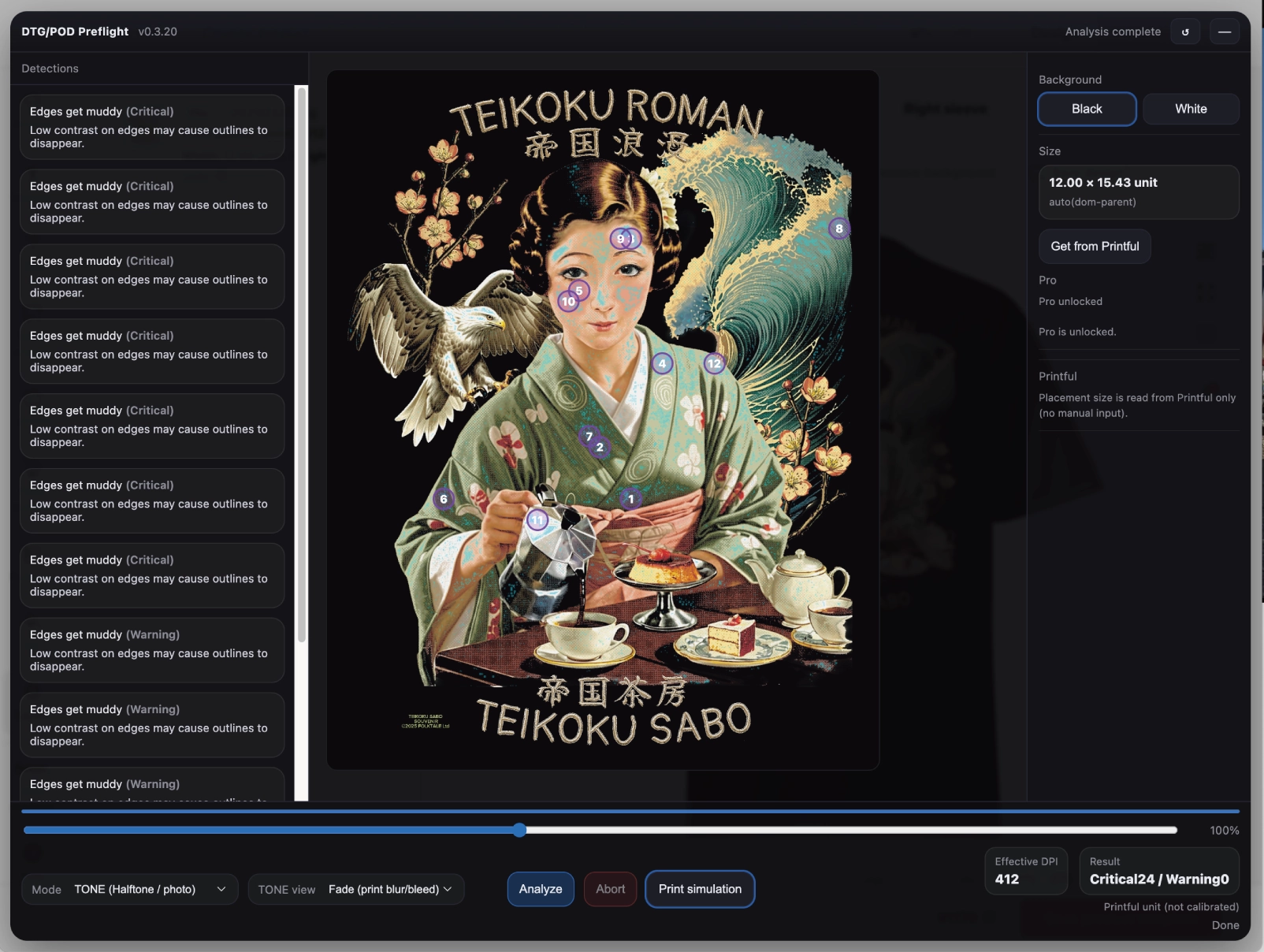
What this extension does
DTG/POD Preflight adds an overlay panel on Printful’s design/placement pages to pre-check common DTG/POD print-file risks before ordering.
- LINE mode: finds small details that may disappear (thin lines / tiny gaps / small holes)
- TONE mode: flags texture/halftone-like areas that may merge into solid patches
- Reads placement size and effective DPI from Printful via Get from Printful
- Shows pins + a detection list to quickly locate risky areas
How to use (quick)
- Open Printful and go to a product design / placement page.
- Upload your artwork as usual.
- Click Get from Printful to import placement size/DPI.
- Choose Background (Black/White) and Mode (LINE/TONE), then click Analyze.
Get the extension
Install from Chrome Web Store
※Not affiliated with Printful. “Printful” is a trademark of its respective owner.
Pro (optional)
If you have a license key, open the overlay on Printful and click Activate. Get a license key: Get Pro
Permissions (why they are needed)
Host permissions (Printful only)
The extension runs only on Printful pages to display the overlay and to read placement size/DPI from the Printful UI. It does not run on other websites.
Allowed sites:
- https://printful.com/*
- https://* .printful.com/*
Storage
Used only to save local settings (mode/background/view) and license status on your device. No personal data is stored.
Privacy summary
- Analysis runs locally in your browser.
- No analytics / tracking.
- No uploads of your design files.
- License verification (Pro) occurs only when you paste a license key and press Activate.
Privacy policy:
Troubleshooting
- If the overlay does not appear, confirm you are on a Printful design/placement page and reload.
- If DPI/size shows “—”, click Get from Printful again after the placement preview is visible.
Contact
Support email: contact@folktale.jp
“Printful is a trademark of Printful, Inc. This extension is not affiliated with Printful.”